Guide
Best time to post on Instagram — and what outranks it
There is a better hour for your account, and it is worth finding. It is also not the lever you think it is.
Search for the best time to post on Instagram and you will find a table: Tuesdays at 11, Wednesdays at 14, avoid Sundays. Those tables are real averages of real data, and the serious ones handle the obvious objection properly — Buffer, Later, Hootsuite and Sprout Social all normalise to local time, so their 11am is meant to be 11am wherever your audience is. The limitation is a different one. They are averages over hundreds of thousands of accounts of every size, industry and audience, which means they describe nobody in particular — and possibly not you at all.
Your followers are not the average follower. A B2B consultancy and a swimwear brand with identical follower counts behave nothing alike, and a table that pools both reports the midpoint between two habits that neither of them actually has. No amount of statistical rigour fixes that: the number is right and still useless, the way an average shoe size is right and still useless.
So the first half of this guide is how to get the hour that applies to your account instead of to the average of everyone. Reading your own grid takes about ten minutes; proving a new slot is genuinely better takes a few weeks of posting. Neither of them needs us.
The second half is the part that usually gets one paragraph and deserves the whole article. Instagram publishes the signals it considers most important for each surface, and the clock is not one of them anywhere. Where it does appear, in the Feed, it is buried inside “information about the post” — filed under what Instagram itself calls the “more mundane information about the content itself”. What that same signal puts first, in Feed and in Explore both, is how *quickly* people like, comment, share and save. Instagram publishes the signals but never their weights, so nobody can tell you exactly how much more that is worth — us included. But it is the one named on both surfaces, and unlike the hour it is something you can give people a reason to do.
Get your own numbers, not a table
Analytics → Posts → “Best time to post”
Every serious tool can show you a weekday-by-hour grid for your account, and so can Instagram itself through its professional dashboard. What matters is that the grid is built from your account, not from a study.
In Ignix it is the “Best time to post” heatmap on the Analytics page, built from your own published history in your own timezone. If you would rather not connect anything yet, the Instagram app gives you something free and adjacent: Professional dashboard → Total followers → Most active times. It charts when your followers are on Instagram, not what your posts actually earned — a different measurement, and the next step is about why that difference matters. It also only appears once you pass about a hundred followers.
One warning before you read whatever grid you end up with: it can only see the hours you have actually posted at. If you have published at 10am every day for a year, the grid will tell you 10am is your best hour, and it will be telling you nothing at all.
What a weekday-by-hour grid looks like Darker means your posts earned more there. Read the dark cells — and notice the empty ones, because those are hours you have never tried.
6h9h12h15h18h21hMonTueWedThuFriSatSunlessmorenever posted hereIllustrative, not measured: this is the shape a grid tends to take, drawn to show how to read one. Yours is built from your own published history, in your own timezone, and it will not look like this.
Tip · Our rule of thumb, not a published threshold: under about thirty posts spread across different hours, you are reading noise rather than a pattern.
Read engagement, not “followers online”
There are two different numbers that both get called “best time to post”, and they are not the same.
The first is when your followers are online — Instagram exposes this, and plenty of tools display it. It tells you when people are awake and scrolling.
The second is when the posts you actually published got engagement. That is the one worth having, because being awake and engaging are different behaviours. A commuter at 8am is online and half-watching. The same person at 21:30 is on the sofa and will actually reply to something. Ignix builds its grid from the second, which is why its answer sometimes disagrees with the first.
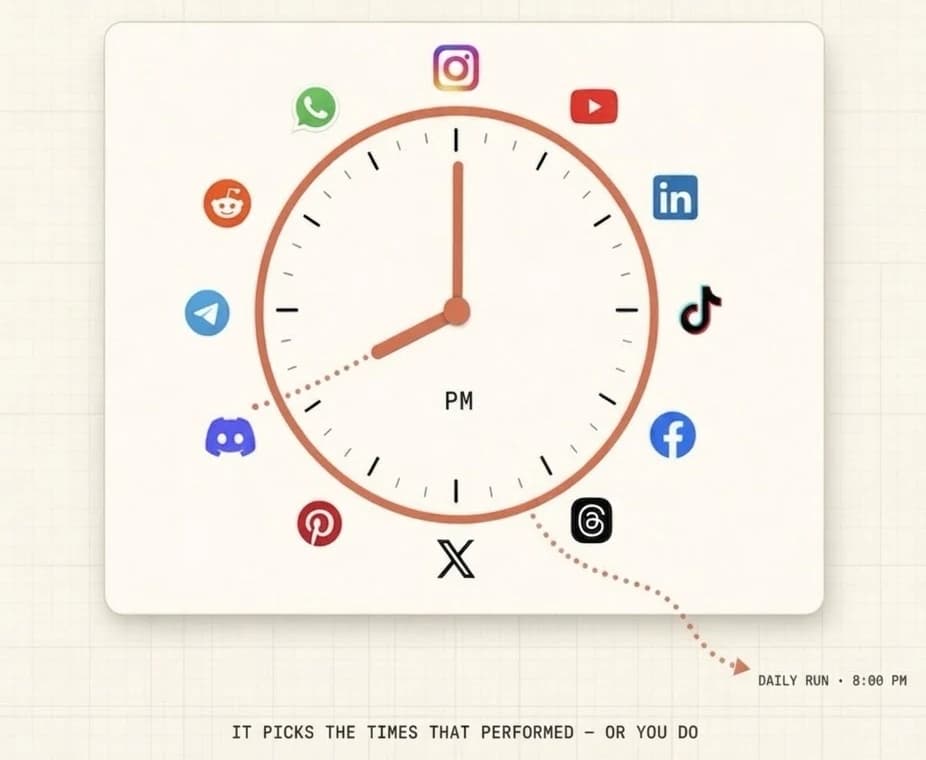
The distinction in one picture: the hour that performed, not the hour your followers happened to be awake. Give each slot a real test
One post at a new hour tells you nothing. A single reel can outperform its neighbours by ten times for reasons that have nothing to do with when it went out, and that one number will drag any average it lands in.
Pick two candidate slots. Post at each of them at least four or five times, keeping the format roughly comparable, and compare the medians rather than the averages so one runaway post does not decide it for you.
Expect the difference to be smaller than you hoped. In most accounts the gap between a good hour and a mediocre one is real but modest — enough to be worth taking, nowhere near enough to be a strategy.
Then stop tuning the hour and raise the engagement itself
Here is the part that usually gets one line at the end. Instagram mentions the clock exactly once in the whole explanation — “like when it was posted”, filed under the “more mundane information about the content itself”, inside the Feed. What that same Feed signal names first is “how many people have liked it and how quickly people are liking, commenting, sharing and saving a post”, and Explore names the same idea in its own words: “how many and how quickly other people are liking, commenting, sharing, and saving a post”.
Read that again, because it changes the job. Take what follows as our reading rather than a measurement — Instagram publishes the signals but never their weights. Posting time is named for one surface and speed of engagement for two, and the hour only changes who happens to be awake to produce it. The hour is a lever on the signal, not the signal.
The strong lever is giving people a concrete reason to act in the first minutes. A post that ends in “comment GUIDE and I will send it to you” collects comments from people who want the thing, and comments are one of the four actions Instagram names. If the comment is answered automatically with a DM, the same post also starts a conversation, which is where a follower or a sale actually comes from.
That is not a trick played on the algorithm. It is the difference between publishing something and asking for something.
Tip · An average post at a mediocre hour that gives people a reason to comment will usually beat a great post at the perfect hour that does not.
Measure again in three months
Your best hour is a property of your current followers, and your followers change. A new audience from one reel that travelled, a new country, a new season, and the grid moves.
Re-read it quarterly rather than weekly. Weekly readings mostly measure noise, and chasing noise will have you moving your schedule every Monday for no gain.
What Instagram actually says
The first three points are quoted from Instagram’s own explanation of how its ranking works, rather than from a study of other people’s accounts. The fourth is a public statement by its head, made elsewhere. The fifth is our own conclusion from the first three, and is marked as such. The original is short, it is public, and it is worth ten minutes: about.instagram.com/blog/announcements/instagram-ranking-explained
- The hour is a detail inside one Feed signal
- Instagram lists four Feed signals: your activity, information about the post, information about the person who posted, and your history with them. The clock is not one of them. It sits inside the second, among the “more mundane information about the content itself, like when it was posted, and what location, if any, was attached to it”. It is not named at all in the lists for Explore or for Reels.
- Speed of engagement is named twice
- For the Feed: “how many people have liked it and how quickly people are liking, commenting, sharing and saving a post”. For Explore: “how many and how quickly other people are liking, commenting, sharing, and saving a post” — and Instagram adds that “these signals matter much more in Explore than they do in Feed or in Stories”. The same idea, weighted hardest on the surface where strangers find you.
- For Reels, attention is named outright
- Instagram lists “how likely you are to reshare a reel, watch a reel all the way through, like it, and go to the audio page”. Watch-through and reshares — not the hour, which does not appear.
- And the three metrics its head has pointed at (said elsewhere)
- Adam Mosseri named watch time, likes per reach and sends per reach as the metrics creators should watch — publicly, in January 2025, and not in the ranking explanation above. Two of the three are about what people do with a post; the third is about how long they stay with it. None of them is a clock.
- Our conclusion, not Instagram’s
- A comment is one of the four actions Instagram names for both Feed and Explore, and it is the only one of the four you can straightforwardly ask for. “Comment a word and I will send it” is a request people accept, and it produces an action that is on the list. Instagram does not say this; it is what we read into the above.
Questions people ask
- Is there a universally best time to post on Instagram?
- No, and any single hour presented as the answer is an average across hundreds of thousands of accounts of every size, industry and audience. There are broadly busier hours — mid-morning and evening on weekdays — but the useful version of the question is which hour is best for your account, and only your own data answers that.
- What are the best times to post Reels on Instagram?
- There is no published hour, and Instagram does not say. Timing turns up in the Feed section and not in the Reels one — but the Reels section compresses the same “information about the post” bucket into a single line, and Instagram is explicit that what it publishes is only the most important of what it calls “thousands” of signals, so absence from a shorter list is not proof of lower weight. What it does name for Reels is what it predicts you will do: reshare it, watch it all the way through, like it, go to the audio page. Reels also keep circulating for days or weeks, so the exact minute plausibly matters less than for a post that lives mostly in its first hours.
- How much history do I need before a best-times grid means anything?
- Roughly thirty published posts spread across different hours and days. Below that you are reading noise. And a grid can only rank the hours you have actually tried, so if you always post at the same time it will confirm that time regardless of whether it is any good.
- What if my account is new and I have no data yet?
- Then no grid is going to rescue you, and it is better to know that now: Instagram’s own audience data only appears at around a hundred followers, and any best-times heatmap needs a history of posts at different hours before it says anything. Post at the hours that suit your own life, keep it up for two months, and read the grid then. In the meantime the second half of this guide is the part that applies to you — giving people a reason to act on a post works from the very first one.
- Does posting more often get me more reach?
- Not by itself. Frequency helps in that more posts mean more chances, but Instagram ranks each post on its own merits, and doubling your output while halving the quality usually goes backwards. It also does not spend your reach budget — there is no such budget.
- Do comments count for more than likes?
- Instagram names liking, commenting, sharing and saving together, so all four are on the list. What has been said publicly is that sends carry more weight than likes for distribution. Comments have a second advantage that has nothing to do with ranking: a comment is a person you can now talk to, and a like is not.
- Is scheduling still worth it if the hour is not the main signal?
- Yes, for a reason that has nothing to do with the algorithm. Scheduling is what lets you publish consistently without being at your phone at 21:30 on a Thursday, and consistency is what gives you enough posts for any of this to be measurable. The hour is a small gain; not missing days is a large one.

The part that outranks the hour
Ask for the comment. Answer it automatically.
Finding your best hour is worth ten minutes. Getting people to act on the post in the first minutes is worth considerably more — and it is the harder of the two, because the hour you simply pick, while engagement you can only give people a reason to produce.
A keyword in the comments, an automatic DM back, and a conversation that starts itself — on every post, without anyone watching the phone.
Comment → DM, from a template
Pick the post, type the keyword and the message. Someone comments the word and the DM goes out in seconds, with a button if there is a link.
Ask for the follow first, if you want
The flow can check whether they follow you and ask before it sends. It is one node, not a workaround.
And it becomes a conversation, not a reply
The DM lands in the same inbox as every other conversation, so the AI can answer the follow-up question, or hand it to you the moment it matters.
Your own best times, from your own history
The weekday-by-hour grid in Analytics is built from what your posts actually earned, in your timezone — and the composer offers those slots when you schedule the next one.
Unlimited contacts, unlimited messages and unlimited automations on every plan. A post that does ten times its usual numbers costs exactly what a quiet one costs.
Plans start at $19 a month. Seven days free and you can cancel in two clicks.
The hour is a small lever. The comment is a big one.