


Spark
Start publishing & automating
$19/ month + tax
Try Spark free- 1 social account
- 500 AI credits / month
- 1,000 DMs / month*
- Store & appointments
- Unlimited team & approvals
- Sparky in every workspace
Research, create, publish, automate and sell. One connected platform. A lot less juggling.
7 days on Spark monthly · Card required · Cancel anytime
Connected through the official API of Meta, TikTok and every network — no scraping, no passwords.

This week
+38%
engagement
Scheduled
24
Manage every channel from one dashboard
Turn insights into content, content into conversations, and conversations into customers. Research your market, create and publish, reply to your audience, sell or take bookings — then use your results to plan what comes next.
Comments that turn into DMs, an inbox with AI replies, bookings, Autopilot and reels, all in one place.
START WHERE YOU NEED IT
You don’t have to need it all.
Just the part that changes your day.
THE WHOLE PICTURE
The tools you use for each step should talk to each other.
In Ignix, they do.
See what is working in your niche. Find standout content on Instagram, TikTok and YouTube, then turn the insight into your own idea.
Try an Instagram analysisLOOK FOR THE PATTERN
 A strong openingGet to the point before the scroll.
 A repeatable formatAn idea your audience can recognise.
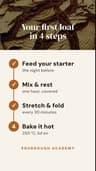 A useful takeawaySomething worth saving or sharing.
And then? Use what you learn to make the next idea better.
ONE PLATFORM. YOUR WAY OF WORKING.
MORE THAN A CAPTION GENERATOR
Find the angle. Plan the week. Keep your voice.
Then make something worth stopping for.
Actual examples made with Ignix Editor. Press play.
Pick your problem. Each one has a fix that starts working the same day.

Before Ignix

With Ignix
What you pay today across several subscriptions that don’t talk to each other is one here — and the pieces do talk.
Calendar, queue, best times and publishing across all your networks. Write once, adapt per network.
Comment-to-DM, story replies, button flows, A/B testing and human handoff. Comments become customers while you sleep.
DMs, comments and reviews from every account in one place, with saved replies, roles and approval for your team.
The AI learns each account’s own voice and palette, and Autopilot plans your week or month: drafts with dates, ready to approve. From $39.
Your link page, digital products, courses, memberships and paid 1:1 sessions. 0% Ignix commission (Stripe’s fees apply), paid straight into your Stripe. From $39.
Five subscriptions, five invoices, zero integration — or one, from $19/mo.
Built on the workflows agencies and creators actually use every day.
Plan, queue and auto-schedule at the best time. Drag-and-drop calendar, bulk upload and evergreen recycling.
Turn comments into DMs and DMs into customers. Visual flows, keywords, conditions, human handoff and AI replies.
Every DM, comment and review across all channels in one thread. Saved replies, filters and team assignment.
Downloads, courses and memberships from the link in your bio. Paid straight into your own Stripe with 0% commission from Ignix (Stripe’s fees apply), and every buyer lands in your contacts.
Clients pick a time, pay when they book and get their Google Meet link on their own. The slot is confirmed only once it is paid — no more chasing invoices after the call.
Generate captions, first comments, post ideas and images right inside the composer. Or let Autopilot plan your week: complete drafts per account, each in that account’s own voice, with dates ready to confirm.
Connect your assistant to Ignix and ask for reels with an Ignix voice-over, edits of your own videos, the best clips from a live — or what is working in your niche right now.
Best posts, best times, engagement and growth — per network and per account. Export reports in a click.
Roles, approval flows and a shared content library — built for agencies and creators.
Most tools stop at “someone comments, you send a link”. That is the first minute. This is the rest of it.
If they don’t follow you yet, the automation asks — and actually checks — before it hands over the link. On Instagram.
Ask the question, check it’s a real address, save it on the contact. Your list grows while you sleep.
Reply in the comments where everyone can see it, and send the DM at the same time. Different words in each.
Ask a question and branch on the answer. One conversation, several endings.
The moment it matters, the bot goes quiet and the conversation lands in your inbox — with everything already said.
Someone reacts or replies to your story and the automation is already running. Down to one specific story, if you want.
Give it a handful of versions of the public reply and it picks one at random for every comment.
A random pause before answering, so the whole thing doesn’t read like a machine on a timer.
Split people between two flows and get real numbers for each branch. No duplicating automations to find out.
Buttons in the DM and the web chat, your own booking page, or a chat with Sparky. Everything lands in Google Calendar; the customer gets a confirmation and a reminder under your brand — and if you move the appointment in Google, they hear about it. A service can also be paid when booked, and get its own Google Meet link.
Not just text: buttons that go somewhere, swipeable cards, and your actual products with prices.
Tags and custom fields written onto the contact as the conversation happens. Your CRM fills itself instead of waiting for you.
All of it in a visual builder, or described in plain words to the AI — whichever you prefer.
 FROM INTEREST TO YOUR NEXT STEP
A comment can become more than a DM. Send the resource, ask a question, save the answer and guide the person towards a booking, a purchase or your team.
The next step can be a booking link, another question or a handoff to your team.
 FROM DRAFT TO PUBLISHED
See the content for every account in one calendar. Turn your ideas into drafts, review them with your team and choose what goes live — and when.
 09:00A fresh perspective
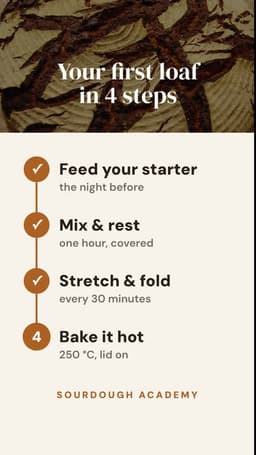 11:30Three things worth trying
 18:00Behind the scenes
 16:00Your next big idea
 10:00Meet the team
 09:30A little inspiration
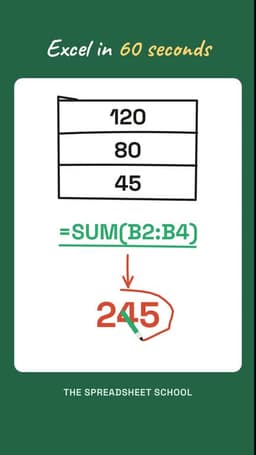 12:00One useful takeaway
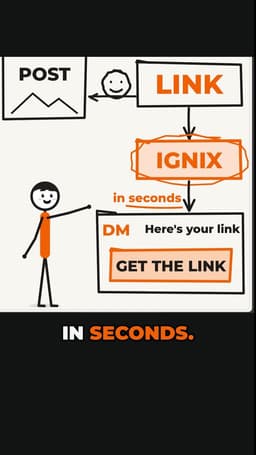 17:30Show how it works
 14:00The full story
 10:30Something to save
 AUTOPILOT · YOUR ACCOUNTS, YOUR VOICES
Give each account its own voice and direction. Autopilot turns that brief into a content plan and drafts, so you can spend your time choosing what is worth publishing.
Your next idea doesn’t need to be perfect. Start with one thing your audience asks you every week.
Review the draft. Make it yours.
You choose what gets published.
Seven days free, and you can have your first automation answering people tonight.
Start free for 7 daysNot just DMs. Comments too — and reviews, and your website chat. Twelve sources of conversation land in the same inbox, in the same thread, answered from the same box.
A YouTube comment, an Instagram DM, a Google review and someone on your website — side by side, oldest first, nothing left on a tab you forgot to open.
Reply yourself with saved replies and media, or let Sparky answer from what it knows about your business — the same brain across every source, so the answer is the same wherever they asked.
Comments that become DMs, keywords that trigger a flow, questions answered at 3am. And the moment a person needs a person, one click hands it over and the bot goes quiet.
That last part is the one that’s hard to find elsewhere: most tools do DMs on one network, or comments on another, or a website chat — and each one bills you separately. Here it’s one inbox, one team, one price — and no per-contact fees.
From sign-up to your first automation answering people, without a setup call.
Link Instagram, TikTok, YouTube and the rest in a couple of clicks. No developer setup.
Fill your calendar and build AI automations that reply, qualify and convert 24/7.
Track what works, answer every message from one inbox, and let Autopilot do the busywork.
Hootsuite charges per seat and keeps its automation for the higher tiers. ManyChat bills by contacts, and Tidio bills by conversations with AI replies on a separate quota. Ignix never charges per contact: every plan comes with its month of DMs — from 1,000 to 50,000 — and if you run short, 10,000 more cost $5.
Your accounts are yours to arrange, too. From Blaze up you can connect several accounts of the same network and mix networks however you like — three Instagram profiles, or two Instagram and a YouTube, all in one workspace. ManyChat bills a separate subscription per connected account: three Instagram profiles means paying three times.
The others
Ignix
Ignix connects to every network through its official API. No browser extensions, no scraping, none of the shortcuts that get accounts suspended.
We store no passwords and no access tokens. There is nothing in our database that could be used to get into your networks. You authorise Ignix from the social network’s own website, through its official API.
You click Connect
in Ignix, and pick the network
The network’s own login opens
their page, their domain, their form
You approve what Ignix may do
and the network issues an authorisation
Ignix can post and read replies
without ever having seen the password
Never crosses this line
your password · your two-factor code · anything that could log in as you
You can revoke the authorisation from the network itself, at any time, without asking us. That is the point of doing it this way.
A signed DPA, a public list of every subprocessor and a legal centre in five languages. The things a client's legal team asks for, ready before they ask.
Every network caps how much you can send and how fast. Ignix counts and queues against those caps instead of firing everything at once — the thing that gets accounts flagged in the first place.
Each network sets its own rules on what a reply can do and when. We stay inside them and tell you when one applies, instead of letting you build something that quietly stops working.
No contract and no minimum. Cancel in two clicks, disconnect your accounts in one, and take your contacts with you.
Support guarantee
Write to [email protected]. If 24 hours go by without a reply from a real person, tell us and that month is on us. No form, no small print.
Setup help
Tell us what you want to happen — a comment that turns into a DM, a reply that goes out on its own — and we build your first automation and leave it running. All by email, at [email protected]. No calls, no screen sharing.
LESS STACK. MORE VALUE.
Start with what you need.
Connect more when you’re ready.
Start publishing & automating
$19/ month + tax
Try Spark freeFor one brand across several networks
$39/ month + tax
Choose BlazeFor several brands and a busier team
$59/ month + tax
Choose ScaleAdd brand listening
$79/ month + tax
Choose Inferno* DMs sent, automatic or by hand; comments, web chat and email don’t count. Extra DMs: +10,000 for $5/mo. X has its own credits and comes with every plan. Creating content uses AI credits, and Sparky’s replies in web chat and comments use 1 credit each. The store has 0% Ignix commission; Stripe’s fees apply.
Compare every feature & add-onA real person when you need one.Human support within 24 hours, weekends included — or that month is free.
Your first automation, set up with you.Tell us what you want to happen. We’ll help you get it working by email.
Ignix connects your accounts through the networks’ official APIs. You authorise access on the network’s own website; Ignix never asks for your social password. We respect platform limits, but no tool can guarantee immunity from restrictions: your content and activity must also follow each network’s rules.
No. Start with what you need: posting, creating content, talking to customers, taking bookings or selling in your store. The rest is there whenever you want to connect more of your work: every plan includes everything, bookings and the store too.
No. Autopilot creates drafts and suggests dates. You review and choose what to schedule. Recurring plans can prepare new drafts automatically, but you stay in control of publishing.
Credits cover content creation: texts, images, Autopilot planning, voice and research. A text costs 2 credits and an image 20, or 40 with your reference photos. Sparky comes with every plan: its DM replies spend no credits, and in web chat and comments each one uses 1.
Spark monthly has a 7-day trial and requires a card. Cancel before it ends to avoid being charged. Other plans and annual subscriptions start with payment.
No. Publishing formats, inbox access and automation depend on each network. Instagram and Facebook support comment-to-DM; TikTok and Pinterest do not have an Ignix inbox. X uses a separate credit pool.
Your connected desktop assistant can use Ignix Editor on Mac or Windows to create and edit videos locally. Rendering is free; generated voice, images and other paid generation use credits. Generative video providers can also be connected with your own API key.

Your DMs are waiting. Get started today — no card tricks, no lock-in, cancel any time.
Start free for 7 days7 days on Spark monthly · Card required · Cancel anytime