Free tool
Sort your camera roll into b-roll folders.
Free · no account · nothing leaves your computer · nothing is deleted
It copies a message to paste in Claude (Code tab of the Claude app) or Codex. Photos somewhere else? Change the folder before you send it.
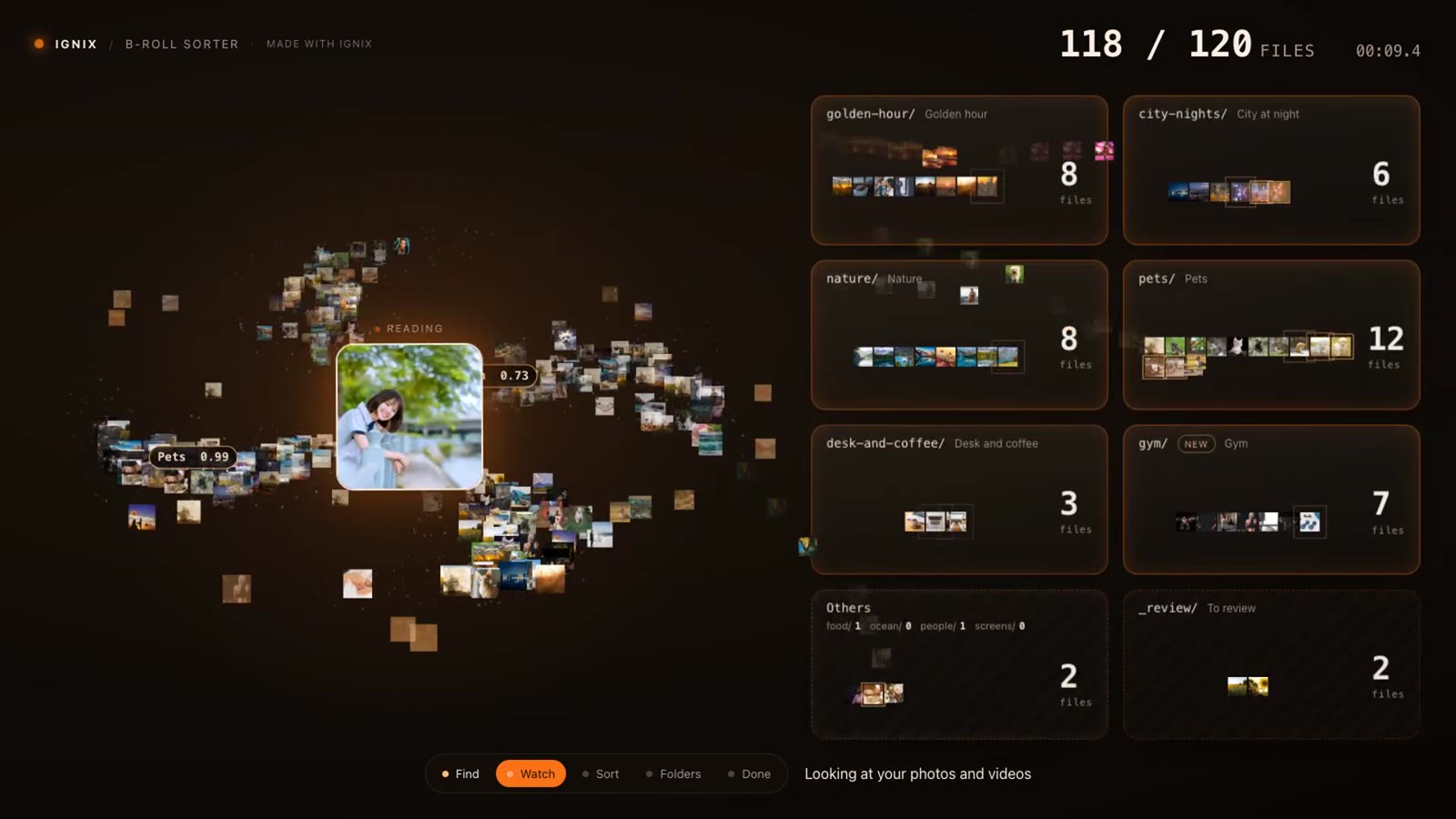
Three steps, one message
- 01
Copy the message
One button. It tells your chat what to install and what to sort.
- 02
Paste it in your chat
In Claude (the Code tab of the Claude app) or in Codex. It installs the sorter and starts it.
- 03
Watch it sort
A page opens in your browser and your thumbnails land in their folders. When it ends, your folders are there.
What it does
Folders by scene
Food, golden hour, talking to camera, city at night, pets… Photos and videos alike.
Groups it finds itself
A wedding, a tattoo studio: it spots them, and your chat looks at them and names the folder.
Duplicates set aside
Near-identical shots go to a “duplicates” folder. The doubtful ones, to “to review”.
Your originals stay put
The folders hold links. Your files stay exactly where they were.
Move them, only if you want
“Apply this order” really moves the files: a warning first, and everything can be undone.
All on your computer
Nothing is uploaded and nothing is ever deleted. On Mac and Windows.
At the end, the page says it plainly: “Done · N folders · nothing deleted”.
Questions
Is it really free?
Yes. No account, no license and no Ignix plan.
Does it upload my photos?
No. Every photo and video is looked at on your own computer. Nothing leaves it.
Does it work on Mac and Windows?
Yes, on both.
Photos, videos or both?
Both. They go into the same folders by scene.
Does it delete or move anything?
It never deletes anything. By default the folders hold links and your originals stay where they were. If you choose “Apply this order”, it moves the files for real, after a warning, and you can undo all of it.
How long does it take?
The first time, it downloads the analysis once (about 650 MB). Then it goes at roughly one video per second, and faster with photos. A big library takes a while: it works in the background and picks up where it left off.
What about my iPhone photos or Google Photos?
Google Photos: download it with Google Takeout, unzip it and sort that folder, for free. Your Apple Photos library (iPhone) is sorted by Ignix Creator, for Ignix customers.
Ignix Creator
Turn your b-roll into reels with Ignix
For Ignix customers, Ignix Creator takes it further:
- Your Apple Photos library (iPhone), sorted too
- Search it from the chat: “clips of me talking outdoors”
- Your clips go in as b-roll when Ignix makes your videos